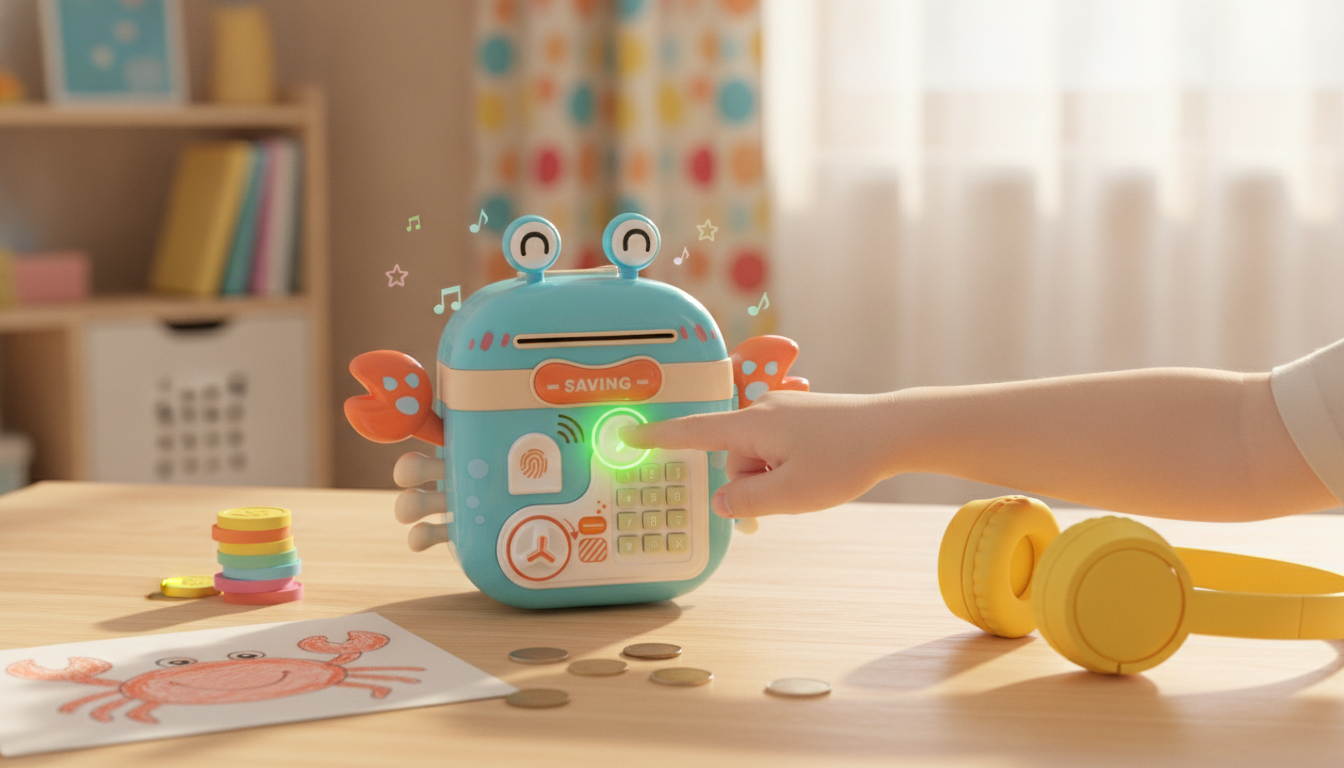
Saving money is easier to stick with when it feels like play. The Crab Fingerprint Password Piggy Bank with Music brings a bright crab character to the classic piggy bank idea, then upgrades it with fingerprint access, password entry, and cheerful music cues. For kids, that combination turns everyday deposits into a mini “mission” they can repeat—while parents appreciate that it’s more secure than an open coin jar.
It’s a practical way to introduce goal-setting, basic money habits, and simple security rules without making it feel like homework.
What makes this piggy bank different
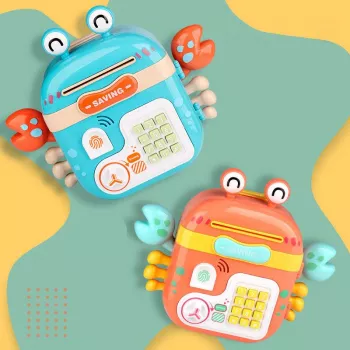
- Crab character design: Looks like a toy, functions like a real savings box—easy for kids to bond with.
- Two-layer access concept: Fingerprint recognition paired with a password step adds an extra layer of control.
- Music and sound effects: Audio feedback can make deposits feel rewarding and keep kids engaged.
- Encourages a “save first” routine: Immediate feedback helps kids repeat the habit daily or weekly.
How the fingerprint + password access typically works
Electronic piggy banks vary a bit by model, but most follow a similar flow. Plan a short setup session so kids start with a working routine (and fewer lockout frustrations).
1) Fingerprint enrollment
An adult usually helps register one or more fingerprints. This is useful if you want a parent fingerprint as “admin access” and the child’s fingerprint as their everyday unlock method.
2) Password setup
A numeric password acts as a backup method or a second verification step, depending on the bank’s mode. For younger kids, choose a code that’s easy to remember but not obvious to friends.
3) Unlock flow
Typically, the user places an enrolled finger on the sensor, then enters the password when prompted. Teach kids to press keys slowly and clearly—rushing is the most common cause of password errors.
4) Locking behavior
After closing the door, the unit generally re-locks automatically. That friction is helpful: it discourages “just checking” the money every few minutes and reduces impulse withdrawals.
5) Reset behavior
Many electronic banks include a reset procedure (often a button inside the door). Store reset steps somewhere safe so a forgotten password doesn’t turn into a big family scavenger hunt.
Using music and sound to build saving habits
Sound can be more than a novelty—used well, it becomes positive reinforcement. A short melody or sound effect helps younger kids connect “deposit” with “progress,” which is the emotional engine behind a lasting habit.
- Make deposits a tiny ritual: One coin each day after school, or a weekly “Sunday savings drop.”
- Start a goal conversation: Pick a target (toy, book, outing), estimate a timeline, and celebrate milestones.
- Separate saving vs spending: When gift money arrives, decide what portion goes into the crab bank versus a spend-now envelope.
- Quiet-time tip: If volume control is available, set it lower for evenings; if not, schedule “bank time” earlier in the day.
For more kid-friendly money habit ideas, parents can also use trusted guidance from the Consumer Financial Protection Bureau’s Money as You Grow and MyMoney.gov.
Quick-start setup checklist
- Power up: Install the required batteries, double-checking polarity. Replace batteries as a set for consistent sensor performance.
- Do the “admin” steps first: Set the primary password and enroll at least one fingerprint before daily use begins.
- Run a test cycle: Lock, unlock, open, close, and confirm it re-locks properly.
- Teach the touch: Clean, dry finger placement on the sensor usually works best; avoid sliding the finger around.
- Pick a first goal: Keep it simple and achievable, then mark a timeline to maintain motivation.
Capacity and compatibility with coins and bills
Safety and durability notes for kids’ rooms
At-a-glance feature summary
Crab Fingerprint Password Piggy Bank with Music: Feature Overview
| Feature |
What it does |
Why it helps |
| Fingerprint access |
Recognizes enrolled fingerprints to unlock |
Helps prevent casual opening and adds a “special access” feel |
| Password entry |
Numeric code used for verification or backup |
Teaches basic security habits and responsibility |
| Music/sound effects |
Plays sounds during deposits or actions |
Encourages consistent saving through positive feedback |
| Coin + bill storage |
Supports mixed money types |
Works for daily coins and larger gift bills |
| Locking door design |
Secures contents between deposits |
Reduces impulse spending and keeps savings “out of sight” |
Troubleshooting common issues
Gift ideas and who it suits best
- Birthday or holiday bundle: Add a few coins or a small bill for the first deposit so the habit starts immediately.
- Savings challenge card: “Save $1 a week for 10 weeks” or “Deposit one coin a day for a month.”
- Optional add-on gifts: For older kids or parents who want to build a themed gift set, consider a practical extra like the Olivia Burton Silver & Grey Watch, a travel-friendly Double-ended Portable Makeup Brush, or a bigger STEM-style surprise like the ArmPi FPV AI Vision Robotic Arm.
Where to buy
To check current price and availability and confirm the exact design details before ordering, visit the Crab Fingerprint Password Piggy Bank with Music product page.
FAQ
How many fingerprints can be registered?
Fingerprint capacity varies by model. A practical approach is enrolling at least one adult fingerprint plus the child’s, then checking the included instructions for the exact maximum.
What happens if the password is forgotten?
Many units can be reset using an internal reset button (often inside the door) or a battery-based reset method, depending on the design. After resetting, you’ll typically re-enroll fingerprints and set a new code, so it helps to keep the reset steps stored safely.
Is it suitable for coins and paper bills?
Yes—these banks are generally made to accept both coins and bills. Fold bills neatly for better space use and avoid inserting oversized items that could cause jams.
Recommended for you











Leave a comment